Flash Card
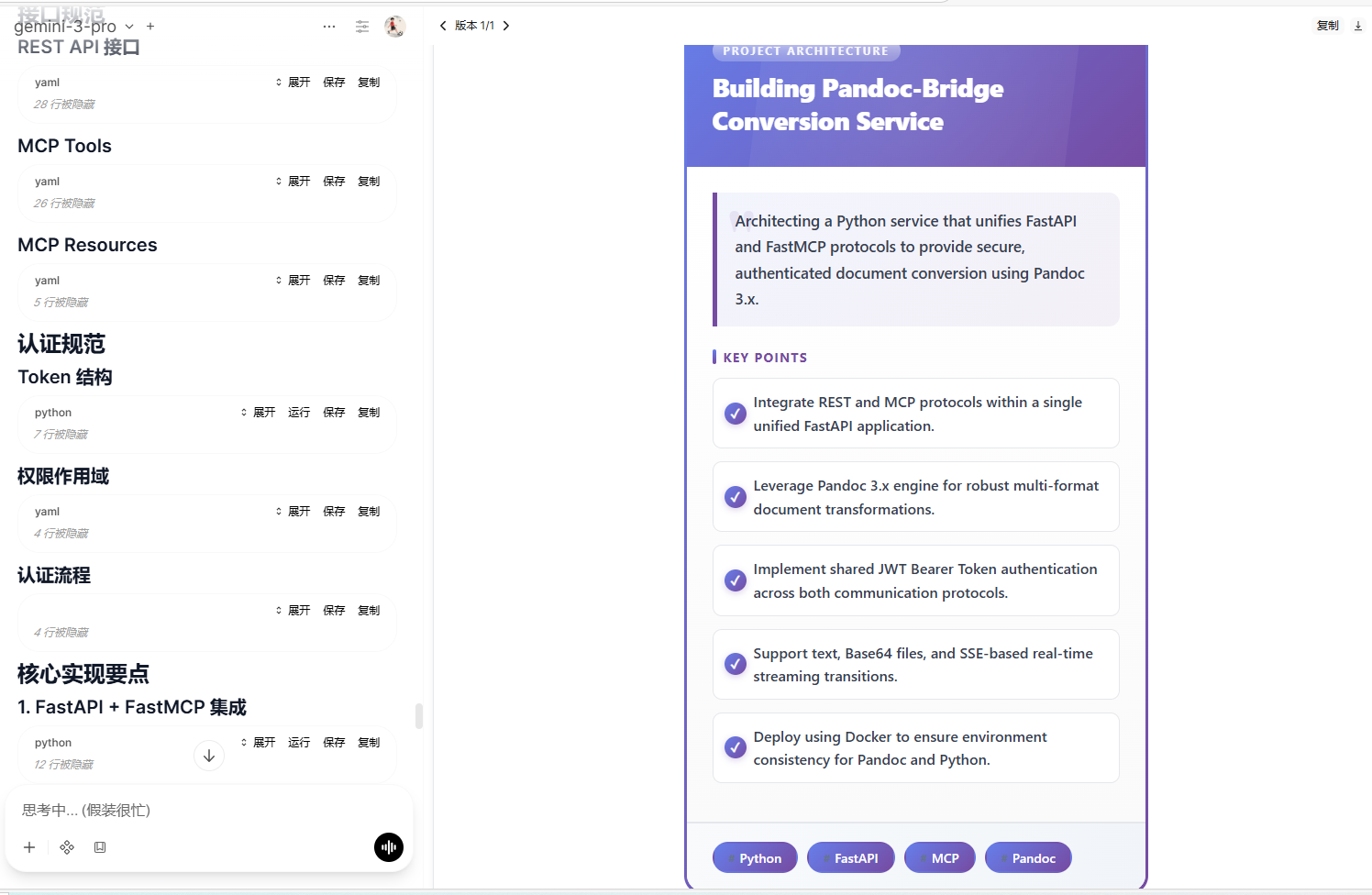
Generate polished learning flashcards from any text—title, summary, key points, tags, and category—ready for review and sharing.
| By Fu-Jie · v0.2.4 | ⭐ Star this repo |
|---|---|
 |  |  |  |  |  |  |
|---|---|---|---|---|---|---|
Install with Batch Install Plugins
If you already use Batch Install Plugins from GitHub, you can install or update this plugin with:
When the selection dialog opens, search for this plugin, check it, and continue.
[!IMPORTANT] If the official OpenWebUI Community version is already installed, remove it first. After that, Batch Install Plugins can keep this plugin updated in future runs.
What's New
v0.2.4
- Clean Output: Removed debug messages from output.
Key Features 🔑
- One-click generation: Drop in text, get a structured card.
- Concise extraction: 3–5 key points and 2–4 tags automatically surfaced.
- Multi-language: Choose target language (default English).
- Progressive merge: Multiple runs append cards into the same HTML container; enable clearing to reset.
- Status updates: Live notifications for generating/done/error.
How to Use 🛠️
- Install: Add the plugin to your OpenWebUI instance.
- Configure: Adjust settings in the Valves menu (optional).
- Trigger: Send text to the chat.
- Result: Watch status updates; the card HTML is embedded into the latest message.
Configuration (Valves) ⚙️
| Param | Description | Default |
|---|---|---|
| MODEL_ID | Model to use; empty falls back to current session model | empty |
| MIN_TEXT_LENGTH | Minimum text length; below this prompts for more text | 50 |
| LANGUAGE | Output language (e.g., en, zh) | en |
| SHOW_STATUS | Whether to show status updates | true |
| CLEAR_PREVIOUS_HTML | Whether to clear previous card HTML (otherwise append/merge) | false |
| MESSAGE_COUNT | Use the latest N messages to build the card | 1 |
⭐ Support
If this plugin has been useful, a star on OpenWebUI Extensions is a big motivation for me. Thank you for the support.
Troubleshooting ❓
- Plugin not working?: Check if the filter/action is enabled in the model settings.
- Debug Logs: Enable
SHOW_STATUSin Valves to see progress updates. - Error Messages: If you see an error, please copy the full error message and report it.
- Submit an Issue: If you encounter any problems, please submit an issue on GitHub: OpenWebUI Extensions Issues
Preview 📸
Changelog
See the full history on GitHub: OpenWebUI Extensions