Folder Memory
Author: Fu-Jie | Version: 0.1.0 | Project: Awesome OpenWebUI | License: MIT
📌 What's new in 0.1.0
- Initial Release: Automated "Project Rules" management for OpenWebUI folders.
- Folder-Level Persistence: Automatically updates folder system prompts with extracted rules.
- Optimized Performance: Runs asynchronously and supports
PRIORITYconfiguration for seamless integration with other filters.
Folder Memory is an intelligent context filter plugin for OpenWebUI. It automatically extracts consistent "Project Rules" from ongoing conversations within a folder and injects them back into the folder's system prompt.
This ensures that all future conversations within that folder share the same evolved context and rules, without manual updates.
Features
- Automatic Extraction: Analyzes chat history every N messages to extract project rules.
- Non-destructive Injection: Updates only the specific "Project Rules" block in the system prompt, preserving other instructions.
- Async Processing: Runs in the background without blocking the user's chat experience.
- ORM Integration: Directly updates folder data using OpenWebUI's internal models for reliability.
Prerequisites
- Conversations must occur inside a folder. This plugin only triggers when a chat belongs to a folder (i.e., you need to create a folder in OpenWebUI and start a conversation within it).
Installation
- Copy
folder_memory.pyto your OpenWebUIplugins/filters/directory (or upload via Admin UI). - Enable the filter in your Settings -> Filters.
- (Optional) Configure the triggering threshold (default: every 10 messages).
Configuration (Valves)
| Valve | Default | Description |
|---|---|---|
PRIORITY | 20 | Priority level for the filter operations. |
MESSAGE_TRIGGER_COUNT | 10 | The number of messages required to trigger a rule analysis. |
MODEL_ID | "" | The model used to generate rules. If empty, uses the current chat model. |
RULES_BLOCK_TITLE | ## 📂 Project Rules | The title displayed above the injected rules block. |
SHOW_DEBUG_LOG | False | Show detailed debug logs in the browser console. |
UPDATE_ROOT_FOLDER | False | If enabled, finds and updates the root folder rules instead of the current subfolder. |
How It Works
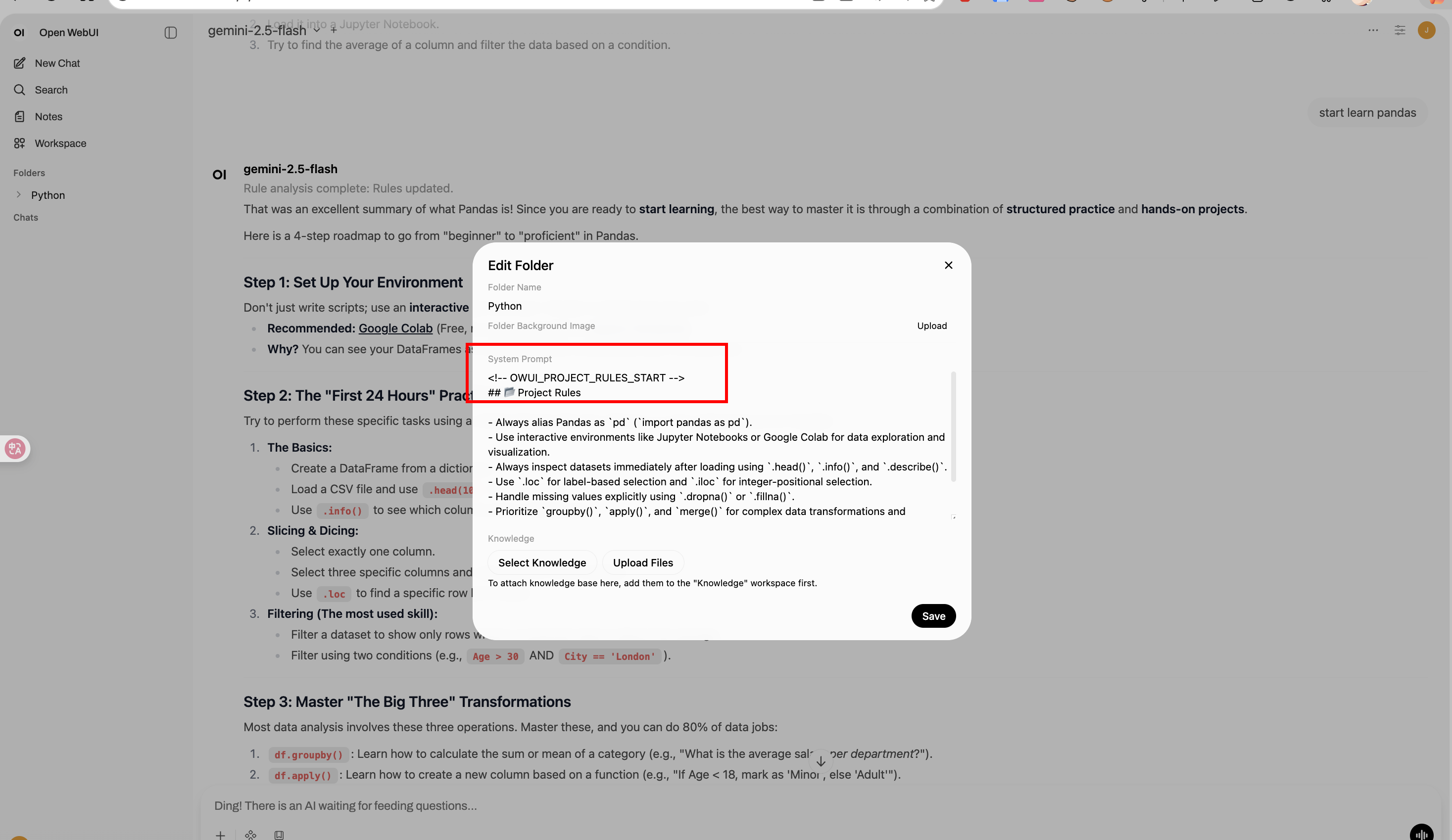
- Trigger: When a conversation reaches
MESSAGE_TRIGGER_COUNT(e.g., 10, 20 messages). - Analysis: The plugin sends the recent conversation + existing rules to the LLM.
- Synthesis: The LLM merges new insights with old rules, removing obsolete ones.
- Update: The new rule set replaces the
<!-- OWUI_PROJECT_RULES_START -->block in the folder's system prompt.
Roadmap
See ROADMAP for future plans, including "Project Knowledge" collection.